
| Feature | Description |
| Brand | Acer |
| Model Name | Chromebook |
| Screen Size | 11.6 Inches |
| Color | Gray |
| CPU Model | Celeron 3205U |
| RAM Memory Installed Size | 4 GB |
| Screen Resolution | 1366 x 768 Pixels |
| Processor | Celeron 3205U |
| RAM | 4 GB DDR3L SDRAM |
| Hard Drive | 16 GB SSD |
| Graphics Coprocessor | Intel HD Graphics |
| Wireless Type | 802.11ac |
| Number of USB 2.0 Ports | 1 |
| Average Battery Life (in hours) | 9 Hours |
| Operating System | Chrome OS |
| Item Weight | 2.87 pounds |
| Product Dimensions | 8 x 11.3 x 0.8 inches |
Introduction:
The Acer Chromebook C740 is a compact and budget-friendly laptop designed primarily for students, casual users. and those who prioritize cloud-based workflows. It’s salient features includes compact design, simplicity, speed, and security, long battery life, and user-friendly ChromeOS. In this review, we will explore the various aspects of the Acer Chromebook C740, including its design, features, performance, pros and cons, and how it compares to other devices in its category.
Design and Build
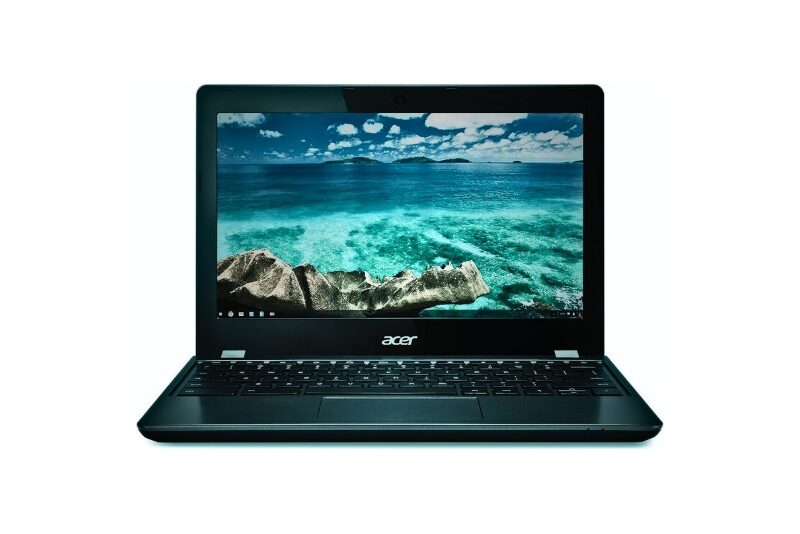
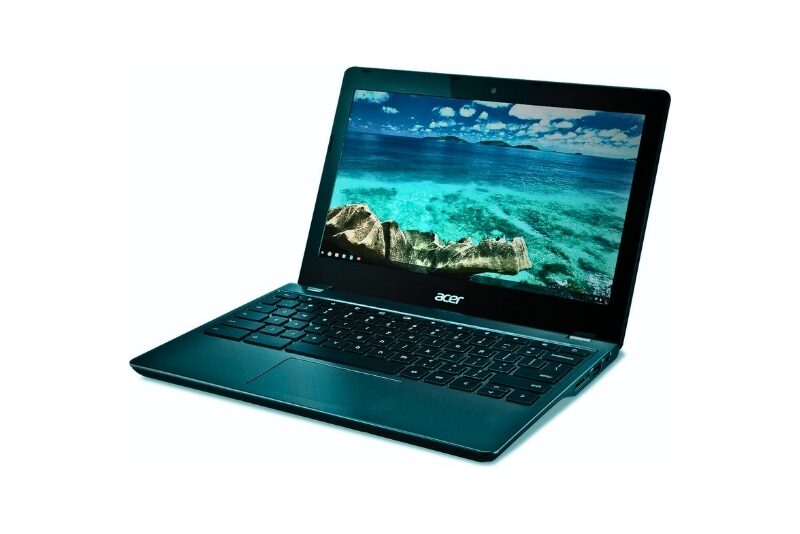
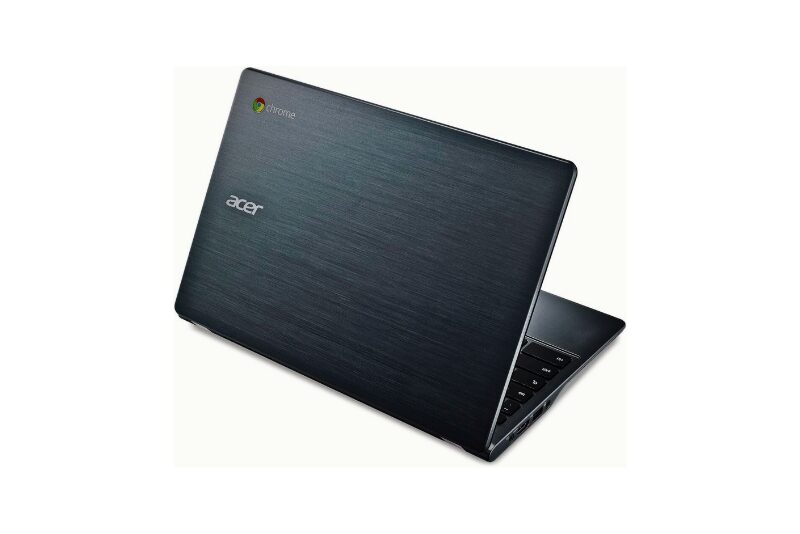
The Acer Chromebook C740 has a sleek design that’s tough enough to handle everyday bumps. The gray plastic case is lightweight, so you can easily carry it around. The screen is 11.6 inches, which is a good size for taking it places without being too bulky. The picture quality is good with a resolution of 1366 x 768 pixels. It’s really thin and light too, measuring only 8 x 11.3 x 0.8 inches and weighing just 2.87 pounds, so it fits easily in your bag.
Features and functionality:
Display: 11.6-inch with decent picture quality (1366 x 768 pixels) suitable for everyday tasks.
Keyboard: Well-spaced keys, but with slightly shallow travel – good for basic tasks and note-taking.
Trackpad: Smooth and responsive for easy navigation.
Ports: Limited selection – 1 USB 2.0 port, 1 HDMI port, and a headphone jack. (Consider if you need to connect multiple devices).
Performance:
- Celeron 3205U processor with 4GB of memory for handling everyday tasks like web browsing and emails.
- 16GB of storage, expandable with cloud storage via Google Drive.
Operating System: Chrome OS – simple to use, automatically updates, and offers built-in virus protection.
Connectivity: Wi-Fi and Bluetooth for internet and device connections.
Lightweight and Portable: Compact size (8 x 11.3 x 0.8 inches) and lightweight (2.87 pounds) for easy carrying.
Built for everyday tasks: The C740 runs on an Intel Celeron processor with 4GB of memory, which is enough for web browsing, emails, and using online tools.
Light multitasking: You might experience some slowness if you have many browser tabs open at once, but for basic use it’s smooth.
Limited storage: The storage space is only 16GB, so you’ll likely rely on cloud storage like Google Drive to save your files.
Long battery life: One advantage is the battery life, which lasts up to 9 hours on a single charge.
Pros and Cons:
Pros:
- Easy on your wallet: Great price for a basic Chromebook for everyday tasks.
- Carry it anywhere: Lightweight and compact for easy travel.
- Long battery life: Lasts up to 9 hours on a single charge.
- Safe and simple: Secure and user-friendly Chrome OS makes it easy to use.
- Fast start-ups and updates: Boots up quickly and updates automatically.
Cons:
- Limited storage: Not much space for downloaded files (but works well with cloud storage).
- Basic performance: Might slow down if you have a lot going on at once.
- Simpler screen: Not the sharpest picture compared to some laptops.
- Needs internet: Works best when connected to the internet.
Comparison: The Acer Chromebook C740: A Budget-Friendly Choice (But Not Your Only Option)
The Acer Chromebook C740 is a great Chromebook for those on a tight budget. It’s lightweight, has a long battery life, and is easy to use. Here’s a breakdown:
Good things:
- Easy on your wallet: It’s a very affordable Chromebook.
- Carry it anywhere: It’s lightweight and compact, perfect for students or travelers.
- Long battery life: You can work or play for up to 9 hours on a single charge.
- Safe and simple: Chrome OS is secure and super easy to use, even for beginners.
Things to consider:
- Limited storage: It only has 16GB of storage, so you might need to use cloud storage like Google Drive.
- Basic performance: It might slow down if you have a lot of things open at once.
- Simpler screen: The picture quality isn’t the best compared to some laptops.
- Needs internet: Chromebooks work best when connected to the internet.
How does it compare?
- Dell Chromebook: A common competitor is the Dell Chromebook. It has a slightly bigger screen, a faster processor, and double the storage space, but it also costs a bit more.
- Other Chromebooks: There are other Chromebooks around the same price with some extras, like better screens, spill-proof keyboards, or tougher designs (like the ASUS Chromebook C202 or HP Chromebook 11).
- Higher-end Chromebooks: If you need more power and storage, you can look at higher-end Chromebooks like the Google Pixelbook or Samsung Chromebook Plus, but they’ll cost you more.
Conclusion:
The Acer Chromebook C740 is a reliable Chromebook for everyday tasks, perfect for students and casual users on a budget. Its well-built design, long battery life, and easy-to-use ChromeOS make it a great value. While it won’t handle demanding tasks or work extensively offline, it excels at web browsing, documents, and cloud-based applications. Consider other Chromebooks if you need more power or offline functionality. Overall, the C740 is a solid choice for a simple and affordable Chromebook experience.
